Zalo Chat reaction
Zalo Chat reaction allows users to react multiple times to a message to express different levels of emotion, making it a popular choice for expressive messaging. Our task is to enhance this feature by offering a wider range of emotions and customization options.
Timeline
April 2023 - June 2023. Released on market on September 2023
The team
1 product owner, 1 UX/UI designer, 1 UX writer and teams of developers and QC
What I did
Research, wireframe, hi-fi prototype, user testing, final product
Glossary
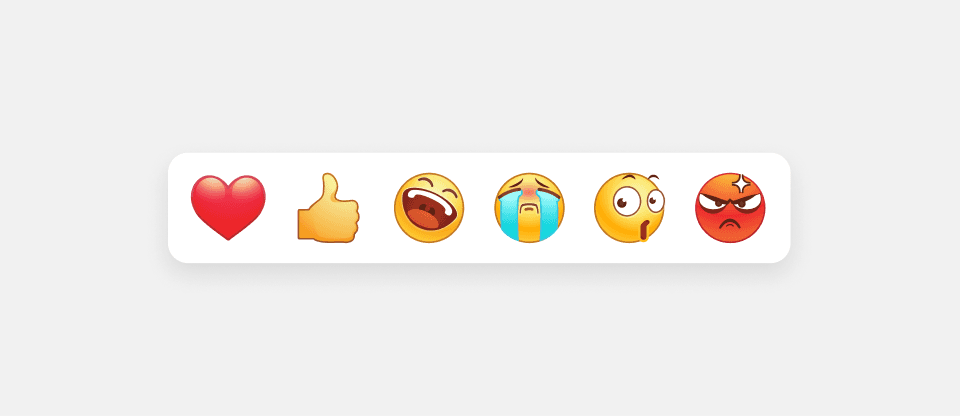
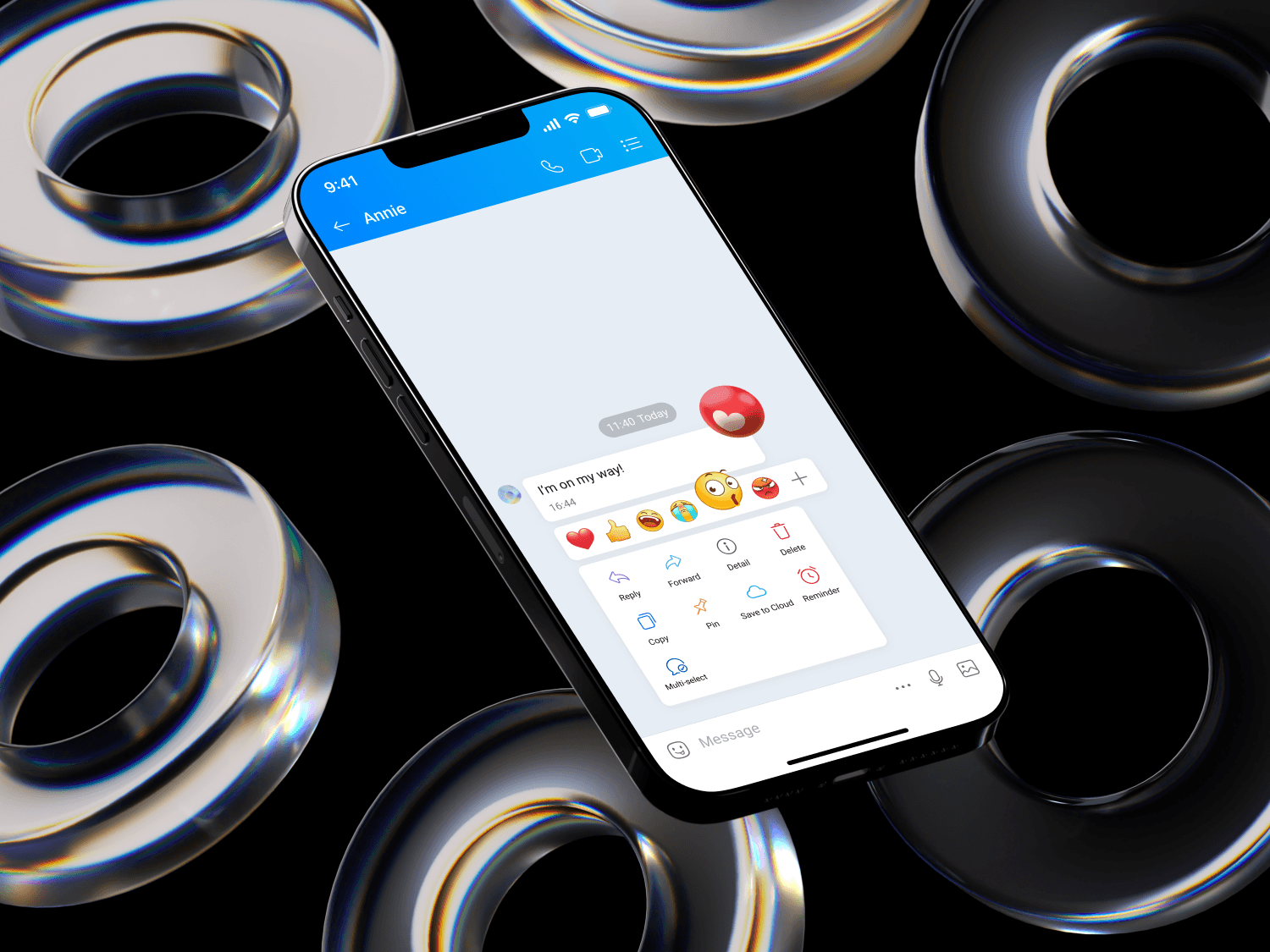
Basic reaction panel
The default 6 emojis
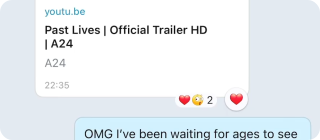
Multiple-time reaction
Users can react multiple times to one bubble chat and with different emojis
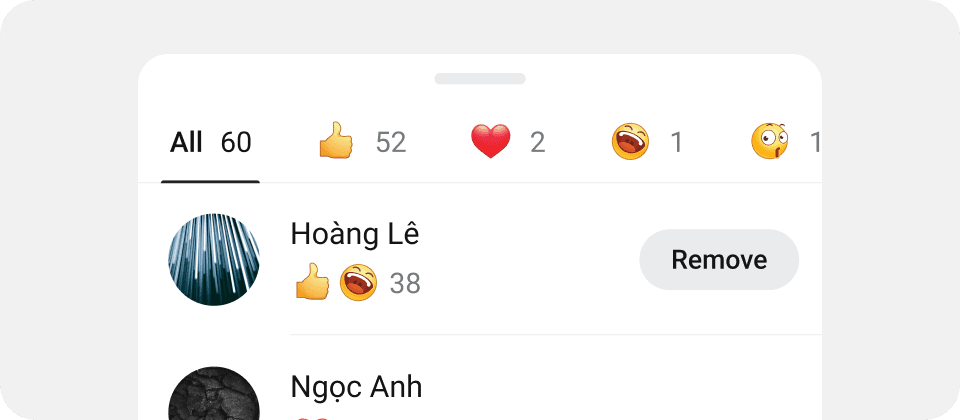
Reaction detail bottom sheet
Detail of reaction activities
01
Research
Through current users data and user interviews, we focused on answering these questions
How users navigate through reaction features: react, remove, see details,…
What was working well
How do users feel about Zalo Emojis design
How the current feature serve their purpose
Some insights
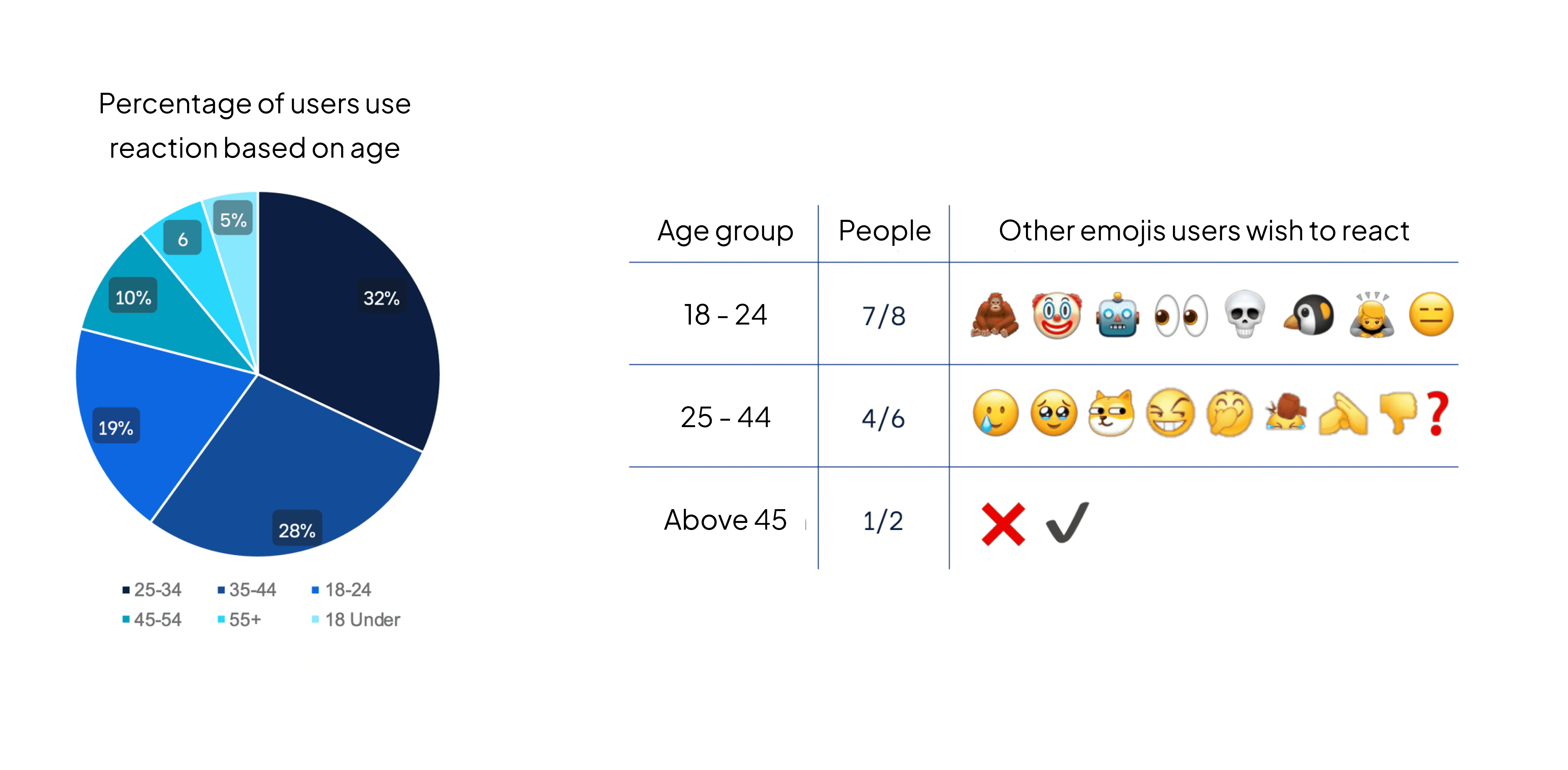
There is a significant difference in how young users and older users use reaction
The basic reaction panel only has 6 emojis (Like, Love, Laugh, Wow, and Angry), but younger users wish to react with a lot more emojis that are not in the panel. In contrast, senior users only use reaction as a form of yes/no confirmation.
Users only use a small fix number of emojis to react
According to user data, users use 4 emojis on average to react, while 52% of users use less than 6 emojis in their entire usage. This confirms that they only use a small fix set to react, and it's important that we can make that process easier.
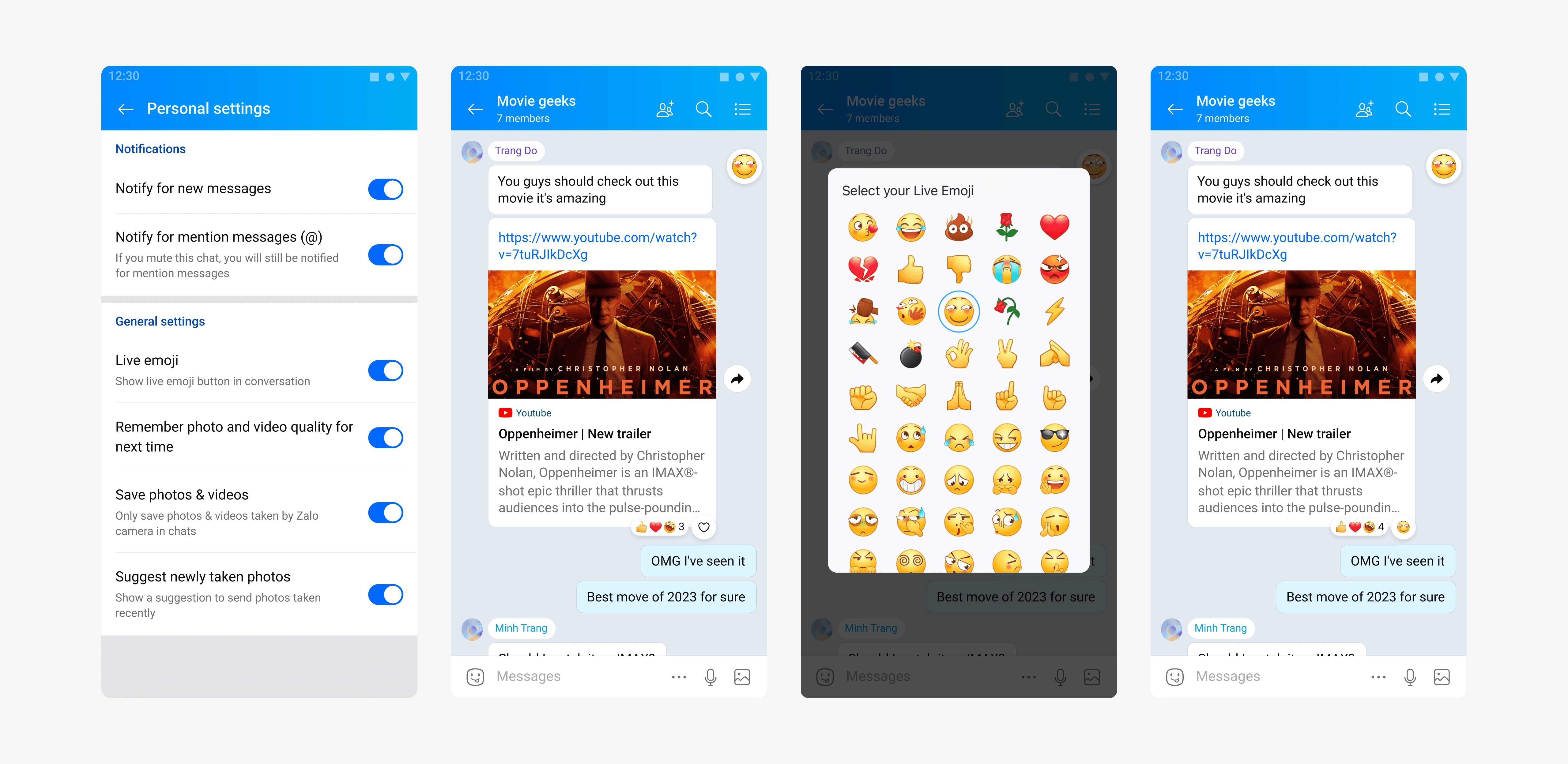
To react with other emojis, users can enable a hidden feature in chat settings that lets them drag and drop emojis into chats. This feature, originally designed for gamification, is now outdated and hidden from new users, leading to a lack of awareness among many users.
Users have trouble removing reactions

For other messaging apps, users can tap to react, and tap again to undo. However with Zalo, because of its multi-reaction feature, another tap means another reaction counted. In order to remove reactions, users need to tap on the “Remove" button next to the basic reaction panel.
8/16 users interviewed wished to have the remove reaction feature, although it has been released for 4 years
10/16 users interviewed felt the icon symbolizing “Remove reaction" is confusing
02
Framing the problem
We placed our problems in the priority evaluation matrix. Based on our current resources and users need, we have determined the following priorities for this phase:
1
2
03
Iteration
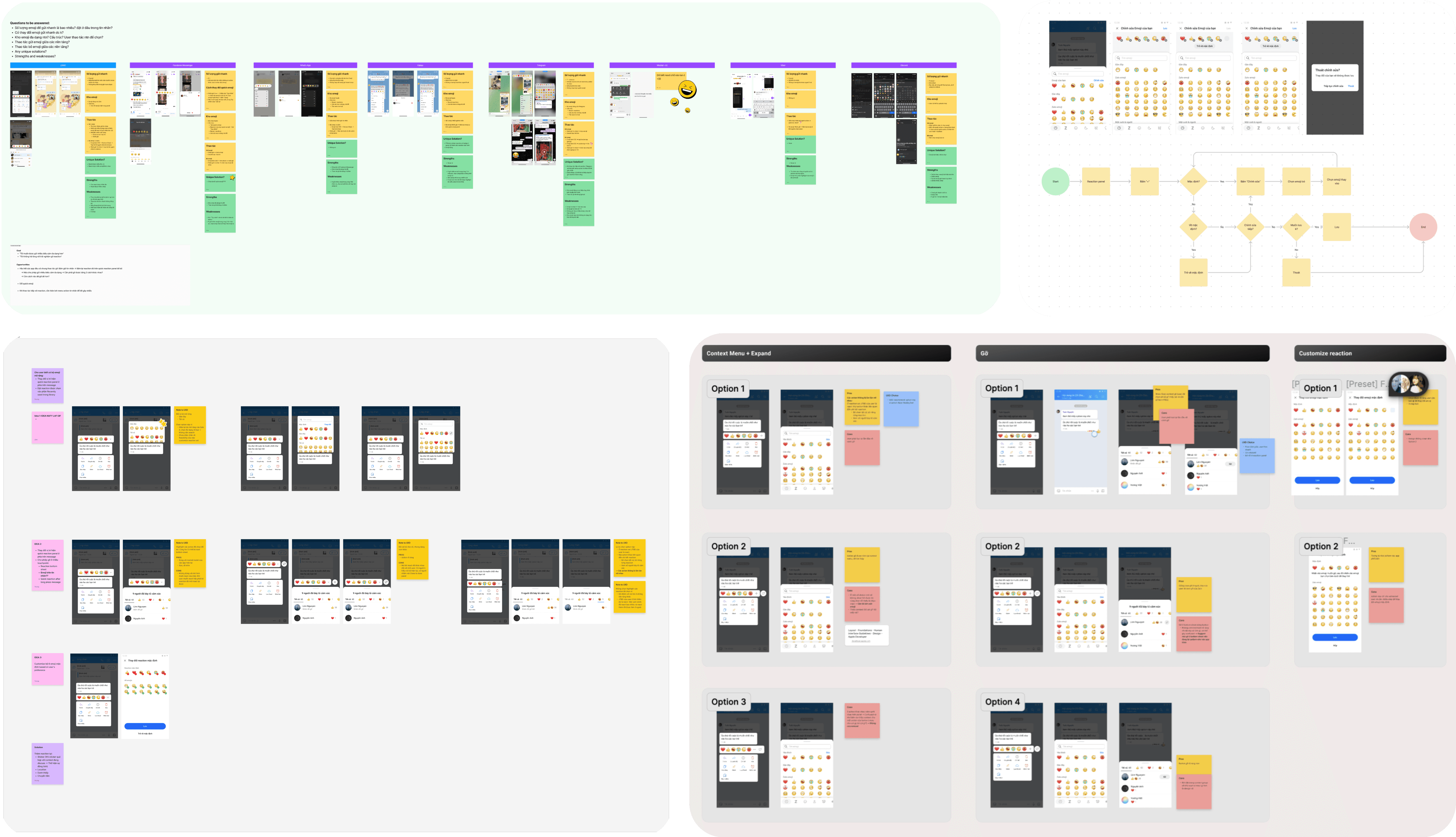
I conducted competitor analysis with my teammate UX Writer to understand more about the market and behavior of different kinds of users on different apps. We then went through several iterations with the product owner, aligned with their business goal, and came up with the desired options.
04
Final solution
Making removing reaction easier
I divide the all actions related to reaction into 2 main groups
Group 1: Reaction
Choose an emoji to react
Group 2: Reaction details (actions after reaction)
See what user reacted → Remove certain unwanted reaction
See who reacted to a bubble chat

According to user interviews and behavioral data, compared to the need for diverse reactions, users seldom react by mistake and usually ignore it if they don't know how to undo it. Therefore, customization options are more prioritized on the reaction panel.
Based on this user flow, I put “Remove” in the reaction details bottom sheet so that users can have enough information and context to remove unwanted reactions.
Easy customization for reaction panel
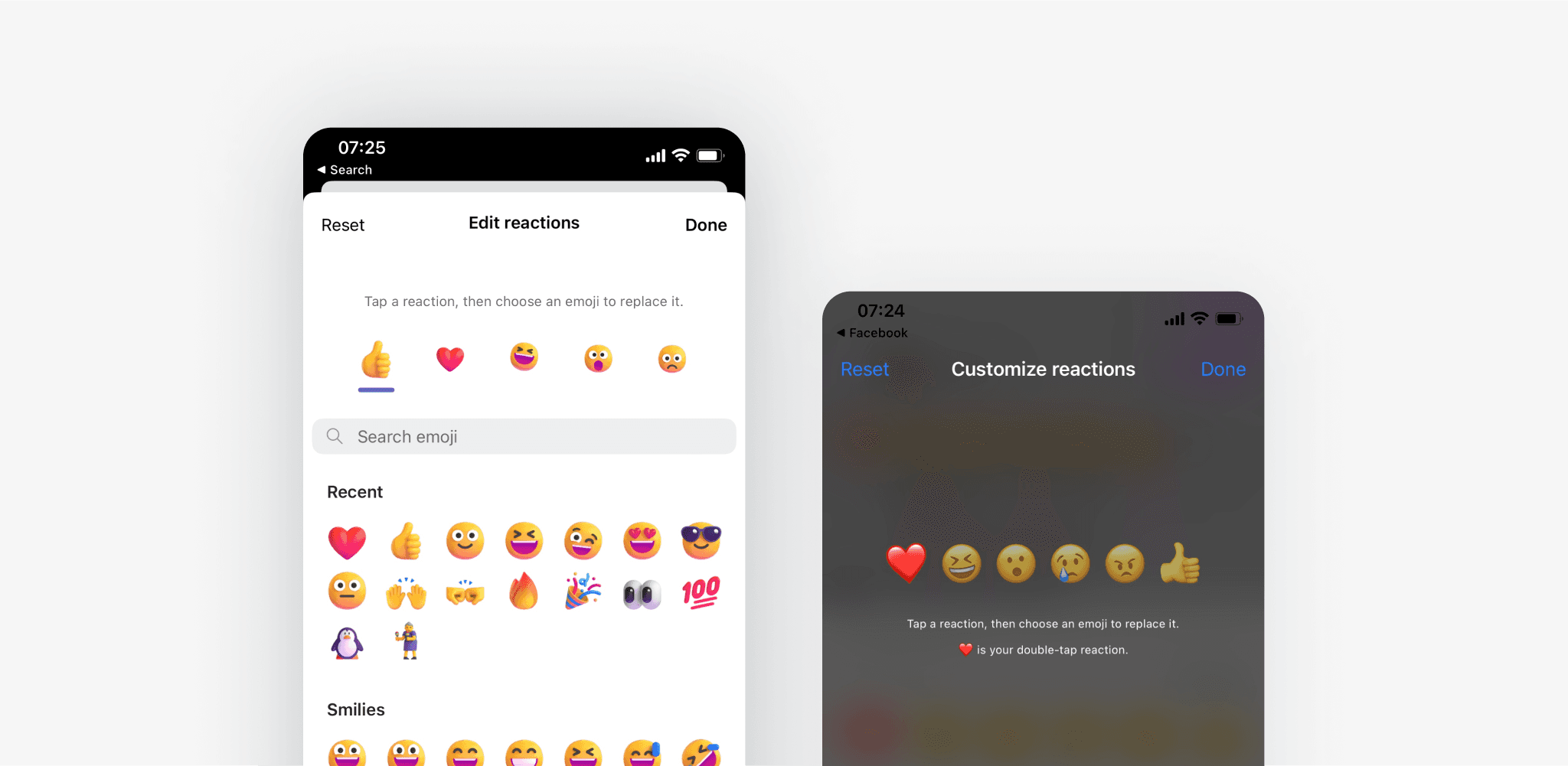
With other apps that we interviewed, users usually skip the text guidance and jump into finding out how to customize themselves. Sometimes they hit dead end, sometimes they succeed with a little bit of confusion.
How did I utilize this customization process?
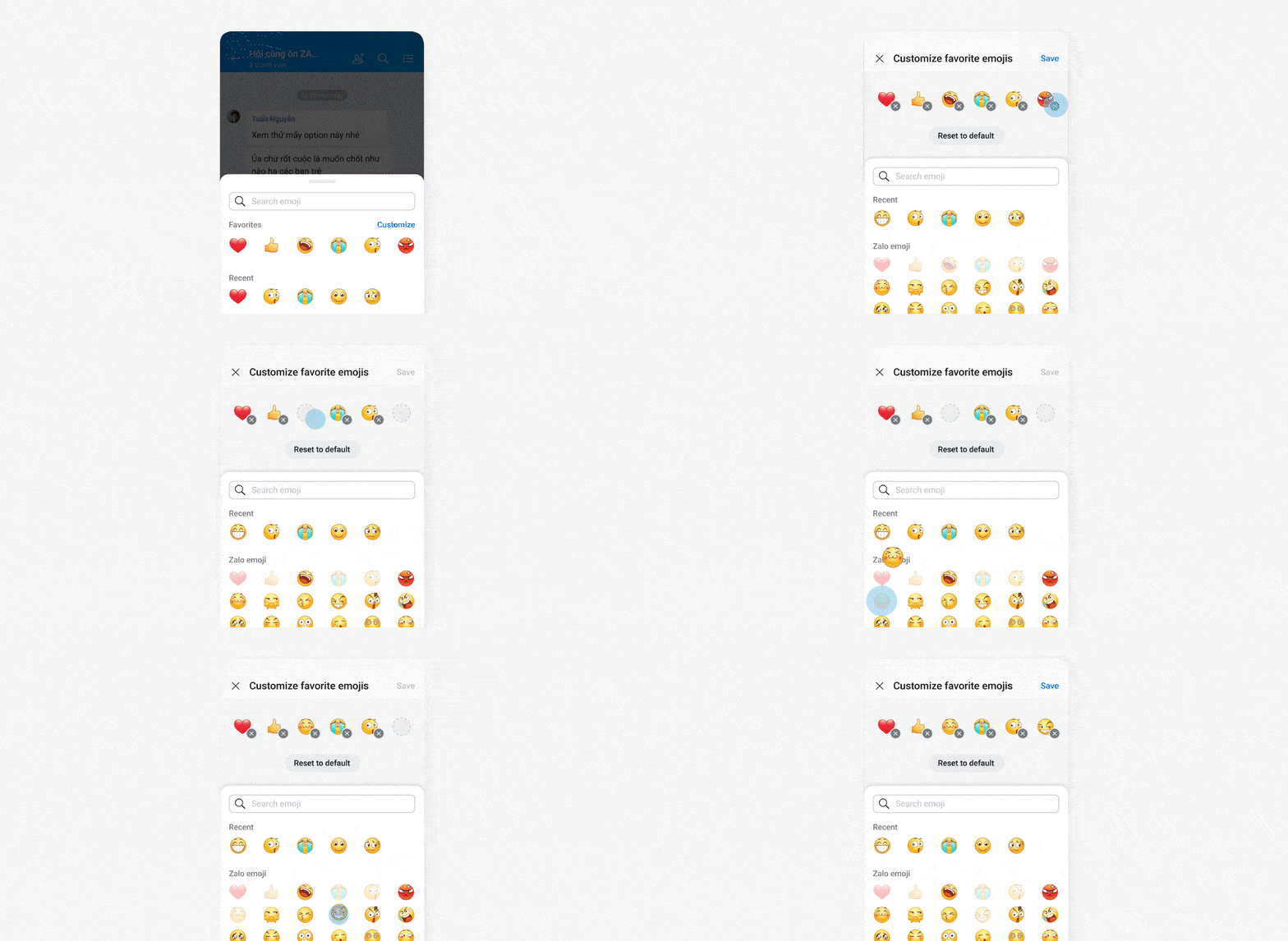
Keeping "Design speaks for itself" in mind, I tried to minimize guidance text and designed the screen with clearer and more universal affordance. Users can now easily remove unwanted emojis and tap the desired emojis into the panel.

To encourage users to try more reaction sets, two reset actions are added: "Reset to default" (resets to the system default reaction panel) and Close button (discard changes and resets to the previous customized reaction panel).